CVJSON: Streamlining Computer Vision Data Handling
An open-source Python library I created to simplify working with COCO-formatted JSON data for object detection, reducing redundant utility scripting and accelerating computer vision research workflows.
Overview
During my research work on object detection and machine learning optimization, I found myself repeatedly writing utility scripts to parse, manipulate, and analyze COCO-formatted JSON annotation files. Recognizing that this was a common pain point across the computer vision research community, I created CVJSON—a Python library that extends dictionaries to provide intuitive, powerful methods for working with COCO-formatted data.
The library eliminates redundant utility scripting and provides a standardized way for researchers to interact with object detection annotations, making computer vision workflows significantly more efficient and collaborative.
The Problem
Working with COCO-formatted JSON files for object detection research presents several challenges:
- Repetitive Parsing Logic: Every researcher writes similar code to extract annotations, map image IDs to annotations, or group classes
- Complex Data Structures: Navigating nested JSON structures with images, annotations, and categories is error-prone
- Lack of Standardization: Different researchers implement different approaches, making code sharing and collaboration difficult
- Missing Convenience Methods: Common operations like getting class distributions, average bounding box areas, or image-to-annotation mappings require custom implementations
Solution: CVJSON Library
CVJSON (Computer Vision JSON) is a Python library that wraps COCO-formatted JSON data in a powerful, dictionary-like object called CVJ. The library provides:
- Dictionary-like Interface: Use CVJ objects just like native Python dictionaries
- Convenience Methods: Built-in methods for common operations like class distributions, area calculations, and data insights
- Automatic Data Indexing: Pre-built dictionaries for fast lookups (image ID to annotations, class name to ID, etc.)
- Visualization Support: Integrated plotting capabilities using Seaborn for data insights
- Extensibility: Modular design allowing community contributions
Key Features
1. Dictionary-Like Interface
The CVJ object behaves like a native Python dictionary, making it intuitive for developers familiar with Python:
from cvjson.cvj import CVJ

cvj_object = CVJ(json_path)
annotations = cvj_object["annotations"]
categories = cvj_object["categories"]
images = cvj_object["images"]
You can iterate through the object, use dictionary methods, and access data exactly as you would with a standard dictionary loaded from JSON.
2. Built-in Data Insights
CVJSON provides powerful one-line methods for common data analysis tasks:
# Get class distribution with automatic visualization
cvj_object.get_distribution_of_class_id(show_plot=True)

# Calculate and plot average area by class
cvj_object.get_average_area_by_class(show_plot=True)

# Get distribution of bounding box areas
cvj_object.get_distribution_of_area(show_plot=True)

# Calculate average side lengths for bounding boxes
cvj_object.get_average_side_lengths()
Each method can return raw data or automatically generate visualizations using Seaborn, making exploratory data analysis much faster.
3. Fast Lookup Dictionaries
The library pre-builds optimized dictionaries for common lookup operations:
# Image ID to annotations mapping
image_id_2_anns = cvj_object.get_dictionary(CVJ.IMID_2_ANNS)

# Class ID to class name
class_id_2_name = cvj_object.get_dictionary(CVJ.CLID_2_NAME)

# Class name to class ID (reverse lookup)
class_name_2_id = cvj_object.get_dictionary(CVJ.CLNAME_2_CLID)

# Image ID to file name
image_id_2_filename = cvj_object.get_dictionary(CVJ.IMID_2_FNAME)

# File name to image ID (reverse lookup)
filename_2_image_id = cvj_object.get_dictionary(CVJ.FNAME_2_IMID)

# Class ID to all annotations of that class
class_id_2_anns = cvj_object.get_dictionary(CVJ.CLID_2_ANNS)
These pre-built dictionaries eliminate the need for nested loops and manual dictionary construction, dramatically improving performance for large datasets.
4. Flexible Getter Methods
The library's getter methods are designed to be flexible, supporting multiple use cases:
Standard Usage:
# Get annotations for a specific image ID
annotations = cvj_object.get_image_id_2_anns(image_id=1)
Dictionary Retrieval:
# Get the entire image ID to annotations dictionary
image_id_2_anns_dict = cvj_object.get_image_id_2_anns()
External Data Processing:
# Process annotations from a different JSON file
with open(other_json_path, 'r') as file:
    other_json_data = json.load(file)

# Get annotations from the external JSON data
annotations = cvj_object.get_image_id_2_anns(
    image_id=1,
    json_data=other_json_data
)
This flexibility is particularly valuable when working with data augmentation, refinement, or comparison across multiple annotation files.
Technical Architecture
COCO Format Support
CVJSON is built specifically for the COCO (Common Objects in Context) object detection format. The library validates and works with JSON files containing:
- Images: Image metadata with ID, width, height, and filename
- Annotations: Object detection annotations with bounding boxes, segmentation, area, and category IDs
- Categories: Class definitions with ID, name, and supercategory
The library handles the standard COCO structure while being flexible enough to work with minimal formats containing just the essential keys.
Extensibility
CVJSON was designed with extensibility in mind. The library includes extension modules:
- Cropper: For cropping images based on annotations
- Augmenter: For data augmentation workflows
- Painter: For visualization and annotation drawing (requires GMIC/GIMP)
The modular architecture allows researchers to add functionality that benefits the entire community, fulfilling the original goal of reducing redundant code across the research ecosystem.
Real-World Impact
Use in Object Detection Research
CVJSON became an essential tool in my object detection research work, particularly for:
- Class Grouping: Quickly mapping class names to IDs and grouping semantically similar classes
- Feature Analysis: Extracting annotations for specific images or classes to analyze model performance
- Data Validation: Verifying annotation integrity and class distributions before training
- Experiment Setup: Rapidly preparing data for machine learning pipelines
Community Benefits
By open-sourcing CVJSON, the library provides:
- Reduced Redundancy: Researchers no longer need to write custom JSON parsing utilities
- Standardization: Common interface for COCO data manipulation across projects
- Knowledge Sharing: Community contributions extend functionality for everyone
- Faster Research: Reduced time from data loading to analysis
Documentation and Distribution
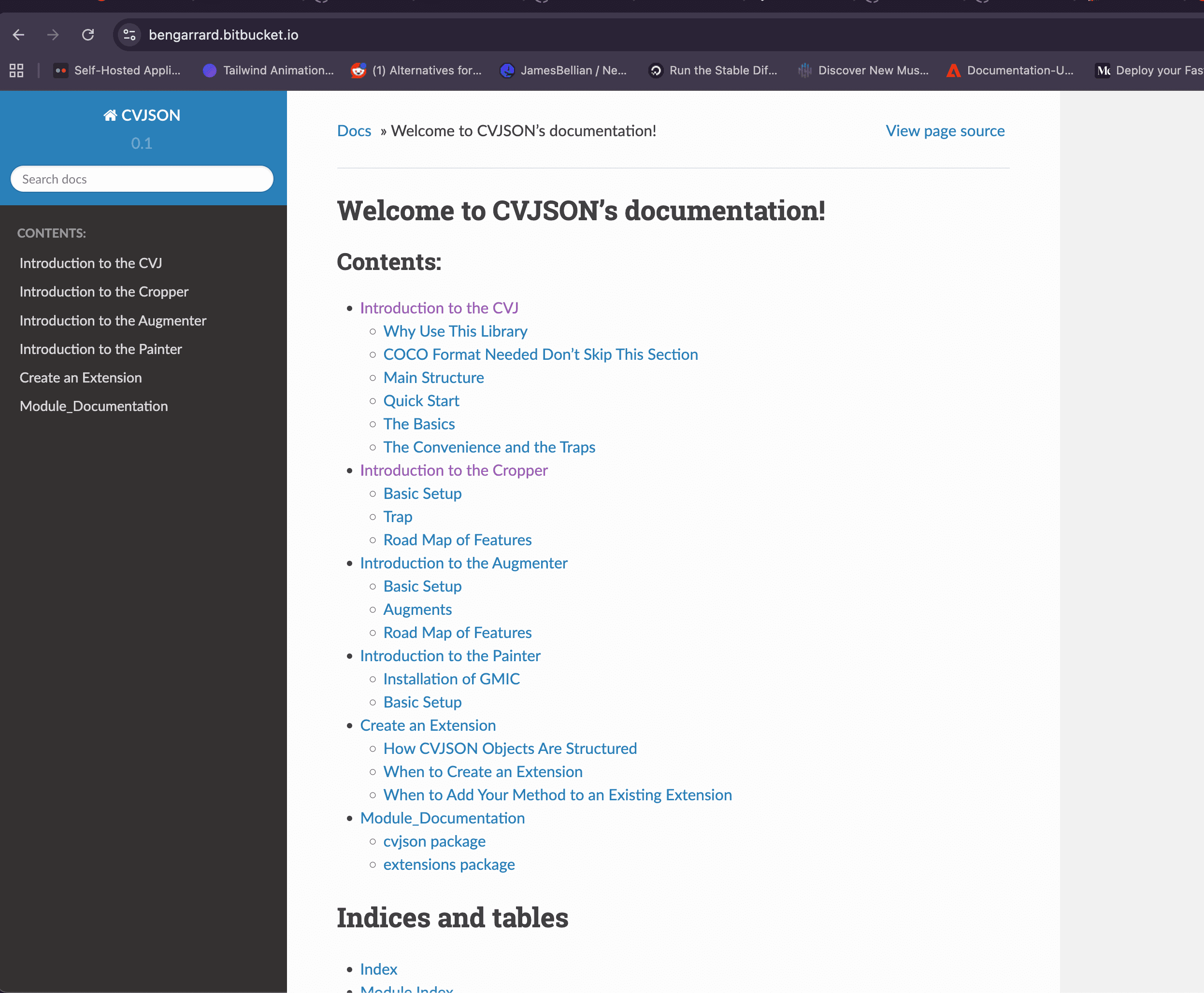
The library includes comprehensive documentation built with Sphinx, covering:
- Installation and quick start guides
- Detailed API documentation
- Usage examples for common workflows
- Extension development guides
- Best practices and common pitfalls
Distribution is handled through the Bitbucket repository, making it easy for researchers to install via pip:
git clone https://bitbucket.org/mayachitrainc/cvjson/src/master/
pip install cvjson/
Technologies and Implementation
- Python: Core implementation language
- JSON: Native Python JSON handling for file I/O
- Seaborn: Integrated visualization backend
- NumPy: Numerical operations for area calculations and statistics
- Sphinx: Documentation generation
- COCO Format: Full support for COCO object detection annotation structure
Challenges and Design Decisions
Challenge 1: Balancing Flexibility and Simplicity
Problem: Researchers need different levels of functionality—some want simple one-line methods, others need low-level dictionary access.
Solution: CVJ objects are both dictionary-like (for direct access) and object-like (for convenience methods), providing flexibility without sacrificing usability.
Challenge 2: Performance with Large Datasets
Problem: Large COCO datasets can contain millions of annotations, making naive lookups slow.
Solution: Pre-built lookup dictionaries are created during object instantiation, trading memory for speed. This makes common operations O(1) instead of O(n).
Challenge 3: Handling Incomplete Data
Problem: Real-world COCO files may have missing keys or incomplete structures.
Solution: The library validates required fields while gracefully handling optional ones, providing helpful error messages when critical data is missing.
Outcome
CVJSON successfully streamlined my computer vision research workflow, reducing the time spent on data manipulation from hours to minutes. The library's intuitive interface and powerful convenience methods made it easy to focus on research questions rather than data wrangling.
More importantly, open-sourcing the library created value for the broader research community. By providing a standardized way to work with COCO data, CVJSON enables researchers to share code more easily and build upon each other's work.
The project taught me valuable lessons about:
- API Design: Creating interfaces that are both powerful and intuitive
- Community Building: Building tools that others can extend and improve
- Documentation: The critical importance of clear, comprehensive documentation for open-source projects
- Problem Recognition: Identifying common pain points worth solving systematically
CVJSON remains a testament to the power of recognizing repetitive problems and creating reusable solutions that benefit the entire research community. The library continues to be used in object detection research, demonstrating that well-designed developer tools can have lasting impact beyond their original use case.