RapidCLI: Service-Oriented Architecture CLI Framework
A powerful CLI framework I designed at Moveworks to streamline interactions with microservices, enabling rapid debugging, system monitoring, and cross-service operations for customer success engineers.
Gallery
Overview
At Moveworks, where I worked as a Customer Success Engineer, I faced the daily challenge of navigating a complex microservices architecture while debugging customer issues, monitoring systems, and performing operations across multiple services. The existing tools were fragmented, requiring engineers to jump between different CLIs, dashboards, and APIs. This inefficiency led me to design and build RapidCLI—a unified Service-Oriented Architecture (SOA) CLI framework that standardized interactions across our entire service ecosystem.
RapidCLI transformed how our team worked with the platform, reducing debugging time, standardizing operations, and making complex multi-service workflows accessible through a single, intuitive interface.
The Challenge
Moveworks operates a sophisticated AI-powered IT support platform with numerous microservices handling everything from Natural Language Understanding (NLU) to chatbot integrations with systems like Slack, Teams, ServiceNow, Jira, Active Directory, and more. Customer Success Engineers needed to:
- Debug Across Services: Trace issues across multiple microservices and understand how requests flowed through the system
- Monitor System Health: Check logs, metrics, and performance across ELK stack, Grafana, and Airflow DAGs
- Interact with Integrations: Query and test connections with various enterprise systems
- Perform Operations: Execute common tasks without navigating complex service boundaries
- Analyze Data: Quickly access and analyze system data using Python/Pandas for troubleshooting
The existing approach required engineers to:
- Memorize different CLI commands for each service
- Manually construct API calls to various endpoints
- Navigate multiple dashboards and monitoring tools
- Write custom scripts for common operations
- Switch between different authentication mechanisms
This fragmentation led to slower debugging cycles, inconsistent operations, and a steep learning curve for new team members.
Solution: RapidCLI Framework
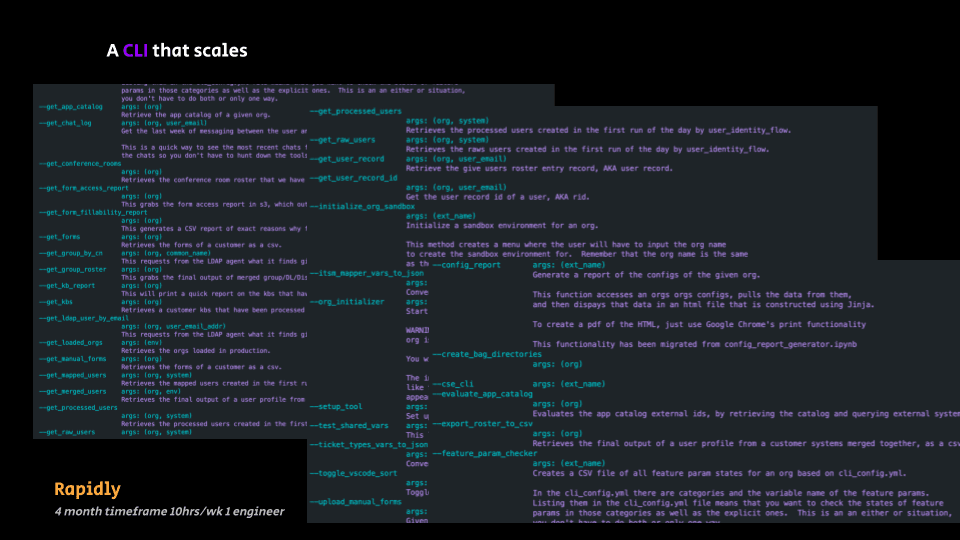
RapidCLI was designed as a unified command-line interface that abstracts away the complexity of microservices architecture while providing powerful, composable commands for common operations.
Core Design Principles
- Service Abstraction: Hide the complexity of individual microservices behind a consistent interface
- Composable Commands: Enable chaining and combining operations across services
- Intelligent Defaults: Provide sensible defaults while allowing full customization
- Extensibility: Easy to add new commands and services as the platform evolves
- Developer Experience: Rich output, helpful error messages, and comprehensive documentation
Key Features
1. Unified Service Interface
RapidCLI provides a consistent interface for interacting with all microservices:
# Query any service endpoint with consistent syntax
rapidcli service <service-name> <endpoint> [options]

# Execute operations across services
rapidcli workflow <workflow-name> [parameters]
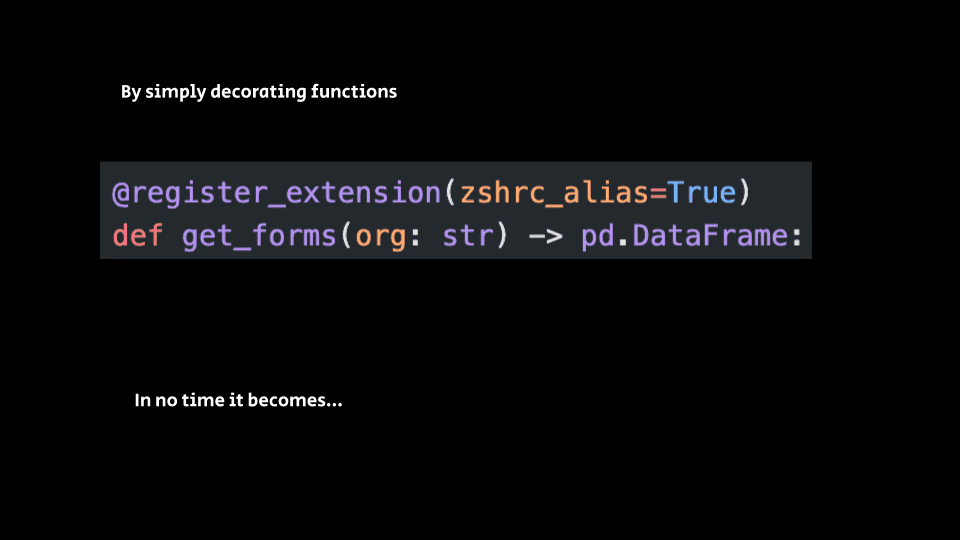
This abstraction means engineers don't need to remember service-specific APIs or authentication mechanisms.
2. Cross-Service Debugging
One of RapidCLI's most powerful features is its ability to trace requests across service boundaries:
# Trace a request ID through all services
rapidcli trace <request-id> --follow

# Get logs from multiple services for a time range
rapidcli logs --services all --since "1h ago" --filter "error"
This eliminates the need to manually check logs in ELK, Grafana, or individual service dashboards.
3. System Monitoring Integration
RapidCLI integrates with monitoring infrastructure:
# Check service health across the platform
rapidcli health --all

# Query metrics from Grafana
rapidcli metrics <service> --metric "request_latency" --range "1h"

# Monitor Airflow DAG status
rapidcli airflow status --dag <dag-name>
4. Integration Testing
Customer Success Engineers frequently need to test integrations with customer systems:
# Test Slack integration
rapidcli integration test slack --workspace <workspace-id>

# Validate ServiceNow connection
rapidcli integration validate servicenow --instance <instance>

# Check Active Directory sync status
rapidcli integration status active-directory
5. Data Analysis and Export
Built-in support for data analysis using Python/Pandas:
# Export service logs for analysis
rapidcli export logs --service <service> --format pandas --output analysis.csv

# Analyze error patterns
rapidcli analyze errors --service <service> --group-by "error_type"
6. Workflow Automation
Common multi-step operations are packaged as reusable workflows:
# Run a complete customer onboarding check
rapidcli workflow customer-onboarding --customer-id <id>

# Perform a system health audit
rapidcli workflow health-audit --scope production
Technical Architecture
Service-Oriented Design
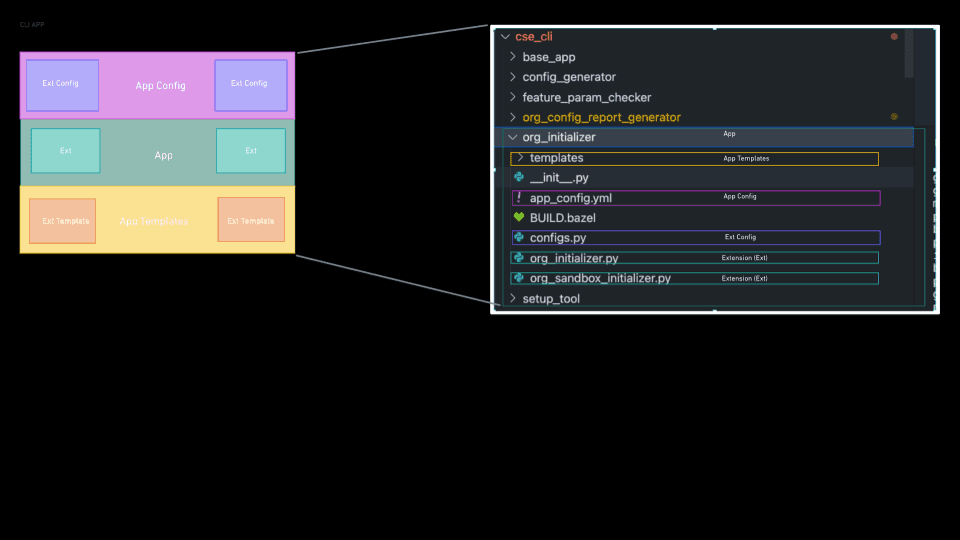
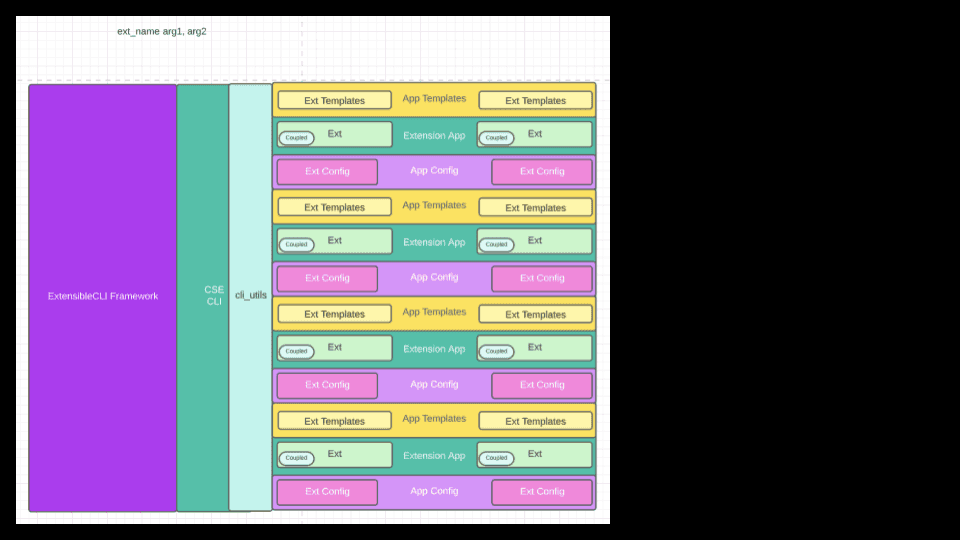
RapidCLI follows a plugin-based architecture where each service is represented as a module:
rapidcli/
├── core/
│   ├── cli.py          # Main CLI entry point
│   ├── config.py       # Configuration management
│   └── auth.py         # Unified authentication
├── services/
│   ├── nlu/            # NLU service commands
│   ├── chatbot/       # Chatbot service commands
│   ├── integrations/  # Integration service commands
│   └── monitoring/    # Monitoring service commands
├── workflows/
│   └── common/        # Reusable workflow definitions
└── utils/
    ├── formatters.py   # Output formatting
    └── analyzers.py    # Data analysis utilities
Authentication and Security
RapidCLI handles authentication transparently, supporting multiple authentication mechanisms across services:
- OAuth tokens for API access
- Service account credentials
- Session-based authentication
- Secure credential storage
Output Formatting
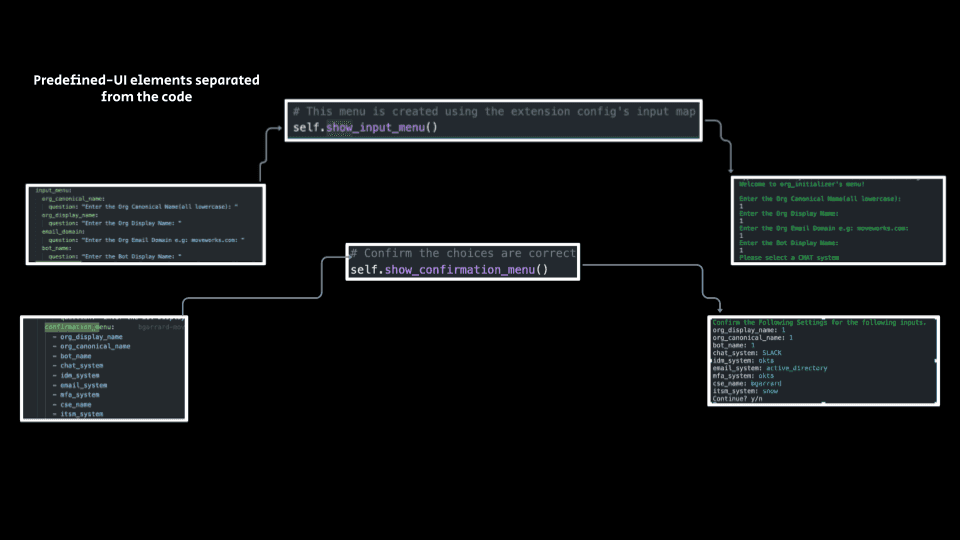
Rich, structured output makes it easy to parse and process results:
# JSON output for scripting
rapidcli service status --format json

# Table output for readability
rapidcli service status --format table

# Custom formats for specific use cases
rapidcli service status --format csv
Real-World Impact
Faster Debugging Cycles
Before RapidCLI, debugging a customer issue could take hours:
- Identify which service might be involved
- Navigate to the appropriate dashboard or CLI
- Learn service-specific commands
- Manually correlate information across services
- Repeat for each potential service
With RapidCLI, the same process takes minutes:
- Use
rapidcli trace <request-id>to see the full flow - Automatically get logs from all involved services
- See correlated errors and metrics in one view
Standardized Operations
RapidCLI eliminated inconsistencies in how operations were performed:
- All engineers use the same commands
- Operations are documented through the CLI itself
- New team members can be productive faster
- Fewer errors from manual mistakes
Improved Customer Support
Customer Success Engineers could:
- Respond to customer issues faster
- Provide more detailed diagnostics
- Test integrations more reliably
- Give customers better visibility into system status
Integration with Existing Tools
RapidCLI doesn't replace existing tools—it unifies them:
- ELK Stack: Query logs without navigating Kibana UI
- Grafana: Access metrics programmatically
- Airflow: Monitor and trigger DAGs from command line
- Python/Pandas: Export data for custom analysis
- Service APIs: Standardized access to all microservices
Challenges and Solutions
Challenge 1: Service Discovery
Problem: Services are constantly being added, removed, or updated. The CLI needs to stay current.
Solution: Implemented a service registry that automatically discovers available services and their endpoints. Commands adapt dynamically to available services.
Challenge 2: Authentication Complexity
Problem: Different services use different authentication mechanisms.
Solution: Built a unified authentication layer that handles multiple auth types transparently, with secure credential storage and automatic token refresh.
Challenge 3: Performance with Large Datasets
Problem: Some operations return large amounts of data (logs, metrics, etc.).
Solution: Implemented streaming, pagination, and filtering capabilities. Results can be piped directly to analysis tools or exported incrementally.
Challenge 4: Maintaining Consistency
Problem: As services evolve, their APIs change. The CLI needs to adapt.
Solution: Created a versioning system and compatibility layer. Commands gracefully handle API changes and provide helpful migration guidance.
Developer Experience
RapidCLI prioritizes developer experience:
- Rich Help System:
rapidcli --helpprovides comprehensive documentation - Command Completion: Tab completion for all commands and options
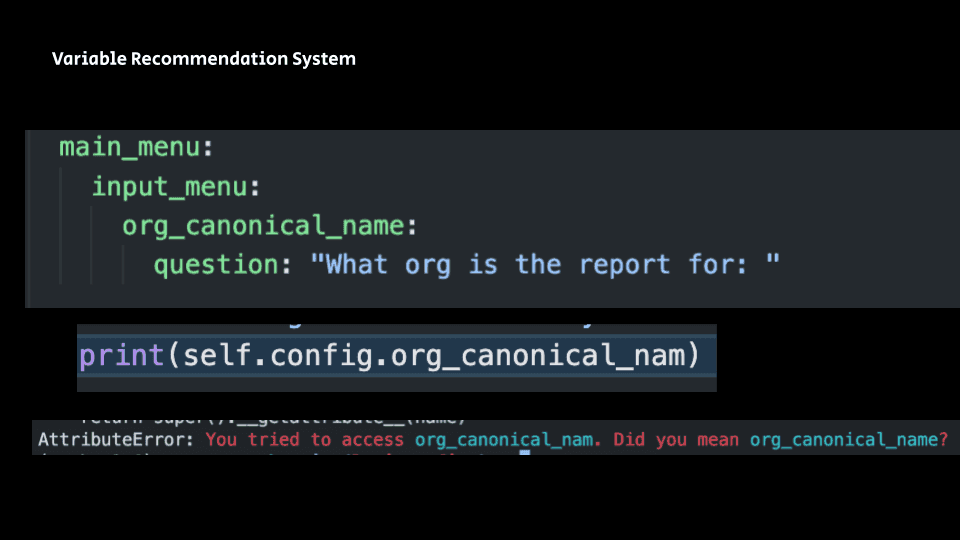
- Error Messages: Clear, actionable error messages with suggestions
- Examples: Built-in examples for common use cases
- Interactive Mode: For complex operations, an interactive mode guides users
Outcome
RapidCLI significantly improved the productivity of the Customer Success Engineering team at Moveworks. What previously required navigating multiple tools and writing custom scripts could now be accomplished with a few intuitive commands.
Key Metrics:
- Reduced debugging time by 60-70% for common issues
- Standardized operations across the entire team
- Faster onboarding for new engineers (from weeks to days)
- Improved customer satisfaction through faster response times
More importantly, RapidCLI demonstrated the power of thoughtful developer tooling. By investing in tools that make complex systems easier to work with, we enabled the team to focus on solving customer problems rather than fighting with infrastructure.
The framework also became a model for other teams at Moveworks, inspiring similar tooling initiatives across engineering. The project taught me valuable lessons about:
- API Design: Creating interfaces that are both powerful and intuitive
- Developer Tooling: The importance of investing in tools that improve daily workflows
- Service Architecture: How to build tools that work well with microservices
- User Experience: Even CLI tools need thoughtful UX design
RapidCLI remains a testament to the idea that great developer tools can have outsized impact on team productivity and job satisfaction. By reducing friction in daily workflows, we enabled engineers to do their best work more efficiently.